



Conference badges are the first thing every attendee touches and the thing every photo shows. A good setup has a lanyard that carries your event or sponsor branding, a badge that’s easy to read, a holder that keeps it facing forward, and a color system that shows attendee type at a glance. Here’s how to plan it from headcount to check-in.
1. Start with your headcount and attendee types
List every group that needs a badge and estimate each one:
- Attendees
- Speakers
- Sponsors and exhibitors
- Staff and volunteers
- Press
- VIPs
Add a buffer of extras for walk-ups and lost badges. If you order 200 or more lanyards, you get 25 extra free.
2. Choose the badge size and holder
Pick the badge size first, then a holder that fits. Badge holders can be added directly to a lanyard order in these sizes:
| Badge holder (width x height) | Good for |
|---|---|
| 2.5 x 4.5 inch | Compact name badges |
| 3 x 5.25 inch | Name, company and a small logo |
| 3.875 x 3.25 inch | Horizontal name badges |
| 4.5 x 3.75 inch | Larger horizontal badges with a sponsor logo |
For bigger badges with schedules or maps on the back, use a vertical 6 x 4 inch badge holder. Printed PVC cards make sturdy badges for multi-day events.
3. Choose a lanyard that keeps badges facing forward
Badges that flip around hide names. Two fixes:
- Open-ended double clip full color lanyards clip to both top corners of the badge so it hangs flat.
- A bulldog clip at the badge end grips the top of the holder and limits spinning.
4. Brand the lanyard, and sell the space
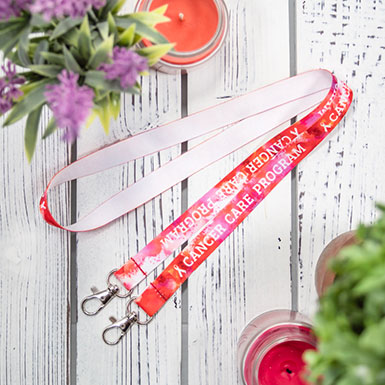
Custom full color lanyards print the event logo, hashtag, dates and sponsor logos in full color, edge to edge. The lanyard is prime sponsor real estate: every attendee wears it all day and it appears in every photo. Many events offer an exclusive lanyard sponsorship that covers the full cost of the order.
5. Color code attendee types
| Attendee type | Example lanyard |
|---|---|
| General attendee | Full color in event branding |
| Speaker | A distinct solid color with “SPEAKER” |
| Sponsor and exhibitor | Sponsor-branded or “EXHIBITOR” |
| Staff and volunteers | Fluorescent neon with “STAFF” |
| VIP | Glitter or nylon |
| Press | A unique color with “PRESS” |
For VIP ideas, see Custom Glitter Lanyards for VIP Passes, Proms and Cheer.
6. Print names and set up check-in
- Print names large. First name in the biggest type, then company and title.
- Use paper inserts for one-day events and late registrations; you can reprint them on site.
- Sort badges alphabetically by attendee type for fast check-in.
- Keep blank inserts and spare lanyards at the registration desk.
7. Plan for safety and sustainability
- Add a free safety breakaway clasp for large crowds.
- Leave dates off the lanyard if you want to reuse them next year.
- Put out a lanyard return bin at the exit. More ideas in Eco-Friendly and Recycled Lanyards: A Buyer’s Guide.
8. Leave room for changes
Full color, polyester and nylon lanyards qualify for free 24-hour rush production, so a late sponsor or a jump in registrations doesn’t have to derail your plan. The rush cutoff is 12 PM Central, and every order is printed at our facility in Houston, Texas.
Frequently asked questions
Use open-ended double clip lanyards or a bulldog clip at the badge end.
Match it to your badge. Common add-on sizes are 2.5 x 4.5, 3 x 5.25, 3.875 x 3.25 and 4.5 x 3.75 inches, and larger 6 x 4 inch holders are available.
Yes. Full color lanyards can print the event and sponsor logos together.
Plan a buffer for walk-ups and replacements. Orders of 200 or more include 25 extra free.
Full color, polyester and nylon lanyards qualify for free 24-hour rush production.
Start planning your badges
Begin with open-ended double clip full color lanyards or call 1-855-711-4467 to plan lanyards and badges for every attendee type.
